

Estimated reading time: 20 minutes
Every Dataverse project I architect reaches the same fork in its first sprint. A business rule, an integration or an agent needs server-side logic, and someone has to pick the Dataverse extension that runs it. Then the team asks: should it be a plug-in, a Custom API, a webhook or a service endpoint that posts to Azure Service Bus?
Every Dataverse extension on that list registers against the same event pipeline, so the menu looks interchangeable. It isn’t. Each one makes a different trade-off on transactions, latency, scale and who owns the code. If you pick the wrong one, you find out in production, usually as a timeout, a rollback nobody expected or a queue that quietly fills up.
This guide covers all four with the limits that actually bite: 2 minutes, 60 seconds, 192 KB and 256 KB. It also gives you a decision flow to reuse in design reviews, and the ALM traps I see most often in enterprise rollouts. Finally, it explains why the question matters more now than two years ago: a Custom API is one of the cleanest ways to give an AI agent a safe, typed operation instead of raw table access.
Table of contents
- Which Dataverse extension to use: the short answer
- The event pipeline decides what each extension can do
- Plug-ins: rules that must hold inside the transaction
- Custom APIs: a typed operation instead of a CRUD event
- Service endpoints: Service Bus and Event Hubs for decoupled volume
- Webhooks: a direct HTTPS push
- Each Dataverse extension side by side: the limits that decide it
- Security and governance for each Dataverse extension
- Patterns, ALM and gotchas
- Choosing a Dataverse extension: what this changes for architects
- Resources

Which Dataverse extension to use: the short answer
Plug-ins run your code inside Dataverse. Custom APIs give that code a typed, callable message. Service endpoints and webhooks, by contrast, push the event out to code you host elsewhere. All four hang off the same event pipeline, so the real question for each Dataverse extension is where the logic runs and whether the caller must wait for it.
- Plug-in: a .NET class that implements
IPlugin. Dataverse runs it in its sandbox when a message passes a pipeline stage. Use it for validation, data shaping and side effects that must succeed or fail with the save. - Custom API: your own Dataverse message, with typed request parameters and response properties. Use it when callers need an operation, such as “approve order”, rather than a CRUD event.
- Service endpoint: Dataverse posts the execution context to Azure Service Bus or Event Hubs, always asynchronously. Use it for high-volume, decoupled integration.
- Webhook: Dataverse posts the execution context as JSON to an HTTPS URL, synchronously or asynchronously. Use it for simple notifications to any web service, typically an Azure Function.
Rule of thumb: must the save fail if the logic fails? Then use a synchronous plug-in. Is it a new operation that callers invoke? Then build a Custom API. Do you need to tell another system that something changed? Then use Service Bus at scale, and a webhook when it’s simple.
One note on naming: Service Bus, Event Hubs and webhook registrations all live in the same ServiceEndpoint table. Webhooks are simply contract value 8. That’s why this guide treats service endpoints and webhooks as siblings.

The event pipeline decides what each extension can do
Every data operation moves through ordered stages, and the stage you register on decides two things: what your extension can change, and how expensive a failure is. So it pays to know the stages before choosing a Dataverse extension.
| Stage | Value | Inside the database transaction? | Typical use |
| PreValidation | 10 | No, for the initial operation | Cheap validation; cancel before a transaction opens |
| PreOperation | 20 | Yes | Change values on Target before the save |
| MainOperation | 30 | Yes | Internal, except for a Custom API’s main logic or a virtual table data provider |
| PostOperation (sync) | 40 | Yes, before commit | Related records that must commit with the save |
| PostOperation (async) | 40 | No, runs after commit | Integrations, notifications, anything slow |
Rollbacks and the PreValidation exception
PreValidation is special. For the initial operation, it runs before the database transaction starts. However, an operation triggered by another extension passes through PreValidation inside the caller’s transaction. Your plug-in can check IsInTransaction to tell the two cases apart.
That difference matters for failures. An exception from a synchronous step inside the transaction rolls back the entire transaction, not just your step. By contrast, a PreValidation exception on the initial operation cancels it before anything is written. So reject bad input in PreValidation, and keep PreOperation for changing values.
Also note that asynchronous steps can only be registered on PostOperation.
The limits that bite
- 2 minutes per message. A Dataverse message operation must complete within 2 minutes. Microsoft states that this includes the operation itself “and all registered synchronous and asynchronous plug-ins”. If it runs longer, Dataverse throws an exception and rolls back the whole operation.
- 2 seconds per plug-in. Microsoft’s guidance is to “limit the time your plug-in takes to execute to no more than 2 seconds”, and to consider asynchronous registration when a plug-in needs longer.
- Depth 8 within an hour.
IExecutionContext.Depthrises each time an extension triggers another operation. By default, Dataverse treats depth 8 within one hour as an infinite loop and aborts further execution. Microsoft is explicit that your code shouldn’t depend onDepth, so treat it as a safety net, not a business rule.
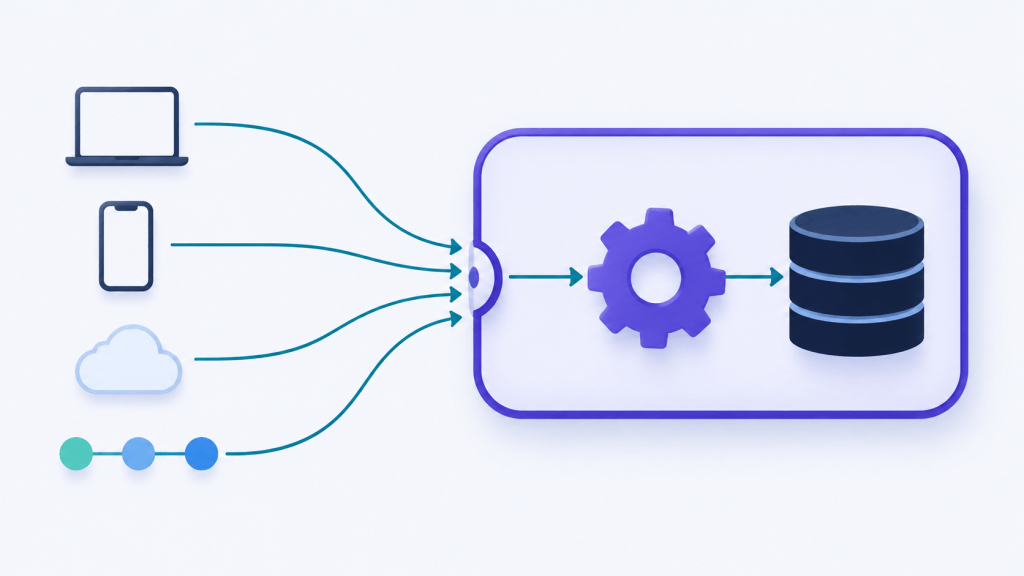
What travels along the pipeline is IPluginExecutionContext. In contrast, what leaves Dataverse for Service Bus, Event Hubs or a webhook is its serialized form, RemoteExecutionContext.
Plug-ins: rules that must hold inside the transaction
A plug-in is a .NET class that implements IPlugin.Execute(IServiceProvider). You upload it to Dataverse, and the sandbox runs it whenever a registered step fires. Because it runs inside the platform, it is the one Dataverse extension that applies to every client: forms, the Web API, imports, flows and integrations alike.
Use a plug-in when:
- The rule must hold for every client, whichever way the data arrives.
- The work must be atomic with the save, so it runs in synchronous PreOperation or PostOperation.
- You need to shape data before it’s written, or enrich a response.
- You’re implementing the main logic of a Custom API.
Don’t use a plug-in when the logic runs long, calls slow external services synchronously or belongs to an integration platform. In those cases, move it to an asynchronous step, a webhook, Service Bus or Power Automate.
Build and register it
- Write the class, or start from
pac plugin init. ReadTarget, images andInputParametersfrom the context, getIOrganizationServicefrom the factory, and log withITracingService. - Build it, then register the assembly with the Plug-in Registration Tool, which
pac tool prtopens. If your plug-in needs dependent assemblies, register a plug-in package (a NuGet package) instead. - Register a step: message, primary table, stage, mode, execution order, filtering attributes, the user context it runs in, and optional unsecure or secure configuration.
- Register pre- or post-images if you need earlier or final values.
- Add the assembly and its steps to your solution, so ALM moves them for you.
Two details from the registration docs are easy to miss. First, secure configuration isn’t included when you export a solution. Second, steps with the same execution order run in no guaranteed order. Images have a trap too: the default selects every column, and Microsoft says plainly, “Don’t use this default behavior.”
Sample: a validation plug-in
This plug-in runs on Update of account, in PreValidation, synchronously, with creditlimit as its only filtering attribute. The threshold is illustrative.
using System;
using Microsoft.Xrm.Sdk;

public sealed class AccountCreditLimitValidation : IPlugin
{
    private const decimal MaxCreditLimit = 1_000_000m;

    public void Execute(IServiceProvider serviceProvider)
    {
        var context = (IPluginExecutionContext)serviceProvider.GetService(typeof(IPluginExecutionContext));
        var tracing = (ITracingService)serviceProvider.GetService(typeof(ITracingService));

        if (!context.InputParameters.TryGetValue("Target", out var targetObj) || !(targetObj is Entity target))
            return;

        var limit = target.GetAttributeValue<Money>("creditlimit");
        tracing.Trace("Depth {0}, credit limit {1}", context.Depth, limit?.Value);

        if (limit != null && limit.Value > MaxCreditLimit)
        {
            // Shown to the user as a business error; the save is cancelled before the transaction opens.
            throw new InvalidPluginExecutionException("Credit limits above 1,000,000 need finance approval.");
        }
    }
}
The class holds no fields except a constant. That keeps it safe, because Dataverse caches plug-in instances and reuses them across calls.
Best practices that matter most
- Keep classes stateless. Don’t store the context, services or row data in fields.
- Always set filtering attributes on Update steps. Without them, the plug-in fires on every update. Note that a filtering attribute triggers the step whenever it’s in the request, even if its value didn’t change.
- No
ExecuteMultipleRequestorExecuteTransactionRequest, and no multithreading, inside a plug-in. - Set a timeout and
KeepAlive = falseon outbound HTTP calls. - Throw
InvalidPluginExecutionExceptionfor business errors, and trace withITracingService. You can also log withILoggerto Application Insights. However, that writes nothing unless the integration is enabled, so keep tracing as well. - Watch the numbers in the Power Platform admin center, under Analytics > Dataverse > Plug-ins: average execution time, failures and the most active plug-ins.
Secrets, Azure access and the low-code option
For secrets, Power Platform managed identity for Dataverse plug-ins is generally available. A signed plug-in assembly or package gets tokens through federated identity credentials on a user-assigned managed identity or an app registration. As a result, it can reach Azure resources such as Key Vault without a stored credential. The setup page now documents version 2 of the federated credential and recommends it for all new and existing plug-ins.
If you hoped for a low-code alternative, note the current status. Microsoft writes that “instant low-code plug-ins are deprioritized and aren’t being delivered as a feature” and are replaced with Dataverse functions, which are in preview.

Custom APIs: a typed operation instead of a CRUD event
A Custom API is a Dataverse message you define. It has a unique name, typed request parameters and response properties, an optional plug-in as its main logic, and settings that control who can call and extend it. Microsoft describes it as an alternative to custom process actions, with capabilities built for developers. It is the Dataverse extension to reach for when callers need an operation rather than an event.
Use a Custom API when:
- Callers need a business operation, not CRUD: “submit for approval”, “recalculate pricing”, “generate document”.
- You want one server-side implementation for the Web API, the SDK, client script, PCF and Power Automate.
- Several writes must happen in one transaction behind one call.
- You want a business event: a Custom API with no plug-in, which flows, webhooks or Service Bus steps react to.
Design decisions you can’t undo
Plan the settings first. Several of them can’t be changed after you create the API, so getting one wrong means deleting and re-creating it.
| Setting | Options | Guidance |
| Is Function | Function (GET) / Action (POST) | A Function is read-only and must return at least one response property. Its URL is limited to 32 KB, and special characters need parameter aliases. Choose an Action when it changes data or Power Automate must call it, because the Dataverse connector only performs actions. |
| Binding Type | Global / Entity / EntityCollection | Entity binding adds a Target parameter automatically. Bound calls in the Web API need the full name Microsoft.Dynamics.CRM.<uniquename>. |
| Allowed Custom Processing Step Type | None / Async Only / Sync and Async | None blocks other extensions. Async Only lets others react afterwards, which suits business events. Sync and Async lets others change the operation. |
| Is Private | Yes / No | Hides it from $metadata and code generation; it still works when called. |
| Execute Privilege Name | An existing privilege | Restricts who can call it. You can’t create new privileges for this. |
| Enabled for Workflow | Yes / No | Needed in classic workflows; not allowed for Functions. |
| Is Customizable | Managed property | Set it to false before you ship a managed solution. |
The settings fixed at creation are the unique name, Is Function, Binding Type, the bound table, Allowed Custom Processing Step Type and Enabled for Workflow. For each parameter, the name, type and whether it’s optional are fixed too. By contrast, Is Private, Execute Privilege Name, the plug-in and the display texts stay editable.
Create and call it
- Define the API in Power Apps, in the Plug-in Registration Tool designer, through the Web API or in solution XML.
- Write a plug-in that reads
InputParametersand setsOutputParameters. Then link it as the API’s plug-in type. It runs in stage 30, MainOperation, so you don’t register a step for it. - Call it with a POST (Action) or GET (Function) in the Web API, with
OrganizationRequestin the SDK, or with the bound and unbound action steps of the Dataverse connector.
Sample: a Custom API end to end
aidev_CalculateDiscount is a global Action with one request parameter, OrderId (Guid), and one response property, DiscountPercent (Decimal). The discount rule is illustrative. First, the plug-in that implements it:
using System;
using Microsoft.Xrm.Sdk;
using Microsoft.Xrm.Sdk.Query;

public sealed class CalculateDiscountApi : IPlugin
{
    public void Execute(IServiceProvider serviceProvider)
    {
        var context = (IPluginExecutionContext)serviceProvider.GetService(typeof(IPluginExecutionContext));
        var factory = (IOrganizationServiceFactory)serviceProvider.GetService(typeof(IOrganizationServiceFactory));
        var service = factory.CreateOrganizationService(context.UserId);

        var orderId = (Guid)context.InputParameters["OrderId"];
        var order = service.Retrieve("salesorder", orderId, new ColumnSet("totalamount"));
        var total = order.GetAttributeValue<Money>("totalamount")?.Value ?? 0m;

        context.OutputParameters["DiscountPercent"] = total > 50_000m ? 5m : 0m;
    }
}
Next, calling it from the Web API:
POST [org]/api/data/v9.2/aidev_CalculateDiscount
Content-Type: application/json
Accept: application/json
OData-MaxVersion: 4.0
OData-Version: 4.0

{ "OrderId": "5c0a4b6e-1f2d-4e8a-9b3c-7d6e5f4a3b21" }
{
  "@odata.context": "[org]/api/data/v9.2/$metadata#Microsoft.Dynamics.CRM.aidev_CalculateDiscountResponse",
  "DiscountPercent": 5
}If it were a Function, the call would be a GET with a parameter alias: GET [org]/api/data/v9.2/aidev_GetDiscount(OrderId=@p)?@p=5c0a4b6e-1f2d-4e8a-9b3c-7d6e5f4a3b21.
Finally, calling it from C# with the SDK, for example from a console app, an Azure Function or another plug-in:
var request = new OrganizationRequest("aidev_CalculateDiscount")
{
    ["OrderId"] = orderId
};

var response = service.Execute(request);
var discount = (decimal)response["DiscountPercent"];
For typed calls, run pac modelbuilder build to generate request and response classes. It skips private Custom APIs, though, so call those with OrganizationRequest as above. One more known issue: the Plug-in Profiler can’t debug a plug-in in the main stage, so plan your debugging approach before you choose the processing step type.
Why Custom APIs are the safe boundary for AI agents
If you’re building agents on Dataverse, a Custom API is the boundary you want between the model and your data. Instead of letting an agent compose arbitrary writes, you expose one named operation. It has typed inputs, a privilege check through Execute Privilege Name and server-side validation in its plug-in. As a result, the business rules, auditing and the transaction stay in one place, whichever agent calls it.
Build these as Actions when a flow or the Dataverse connector will call them, since the connector only performs actions. I covered how the Dataverse MCP Server turns Custom APIs into agent tools in Custom APIs in the Dataverse MCP Server.

Service endpoints: Service Bus and Event Hubs for decoupled volume
A service endpoint is the Dataverse extension that hands events to Azure. It registers an Azure destination in Dataverse. Then a step on that endpoint makes the asynchronous service post RemoteExecutionContext there as a system job. Service Bus steps are asynchronous only, so the user’s save never waits for Azure.
| Contract | Listener needed? | Use it for |
| Queue | No, messages persist | Reliable hand-off to one consumer: a Function, Logic App or worker |
| Topic | No | Fan-out to several subscriptions |
| One-way relay | Yes, must be listening | Legacy direct push |
| Two-way relay | Yes | A listener that returns a string to a custom Azure-aware plug-in |
| REST relay | Yes | Two-way over a REST endpoint |
| Event Hub | No | High-throughput event streaming and analytics |
Size limits, retries and authorization
- 192 KB ceiling. When the message is larger, Dataverse removes
ParentContext,InputParameters,PreEntityImagesandPostEntityImages. A message that then fits gets aMessageMaxSizeExceededproperty. However, one that’s still over 192 KB isn’t sent at all, and an error occurs. - Retries. When the bus is unavailable, Dataverse retries the post at growing intervals until the system job is marked Failed. Runtime errors behave differently: a bus or network error leaves the job Waiting, while an internal Dataverse error isn’t retried at all. Check System Jobs to see which one you have.
- Authorization uses Azure Shared Access Signatures (SAS) on the namespace or entity.
- Two ways to trigger it: the standard step registration with no code, or an Azure-aware plug-in. The plug-in calls
IServiceEndpointNotificationService.Execute()to decide in code what to post and when.
Choosing a message format
All three formats carry the same RemoteExecutionContext. Only the wire encoding changes, and that decides who can read it.
| Format | Who can read it | Watch out for | Pick it when |
| .NET binary (default) | .NET listeners that reference the Dataverse SDK and get a typed context | Opaque to anything else | The listener is a .NET worker or Function already on the SDK |
| JSON | Any language, Logic Apps, streaming tools | The data-contract shape: attributes as key/value arrays, type hints, /Date(...)/ dates | Mixed-language or low-code consumers, Event Hubs streaming |
| XML | XML-centric pipelines | The most verbose, so it reaches 192 KB soonest | A legacy ESB or XSLT mapping |
Whichever you choose, register images with only the columns you need. A text format with full images is the quickest way to hit the 192 KB stripping described above.
Use a service endpoint when volume is high or bursty, consumers may be offline, several systems need the same event, or you want Azure to own buffering, dead-lettering and replay.
Webhooks: a direct HTTPS push
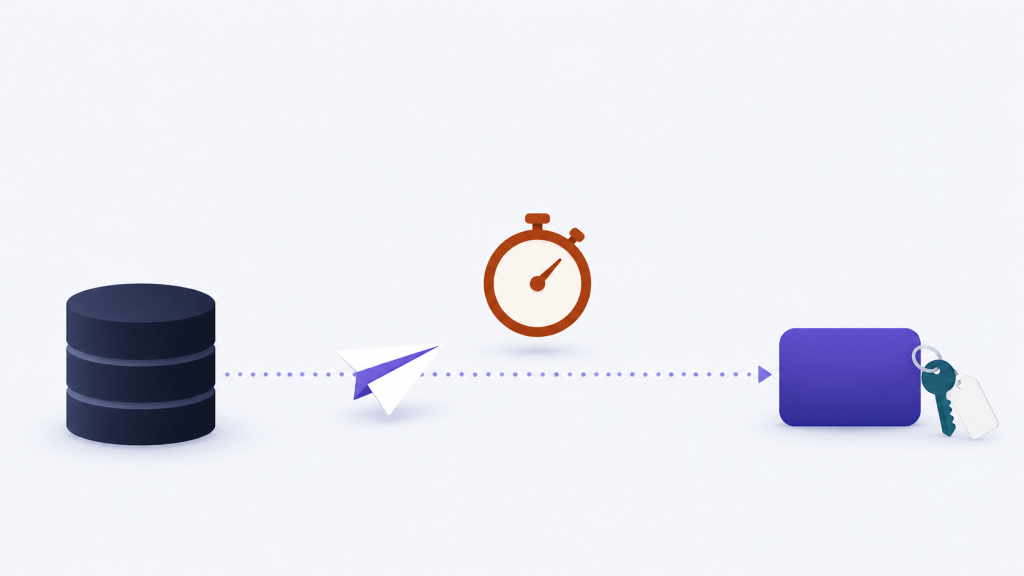
A webhook is the lightest Dataverse extension of the four: a service endpoint with contract value 8. It makes Dataverse POST the execution context as JSON to an HTTPS URL. You register the webhook first, then register steps on it, just as you would for a plug-in. Unlike a plug-in step, however, a webhook step takes no configuration data.
The rules your endpoint must meet
- Ports 80 and 443 only. Registered webhooks support no other ports.
- Authentication is
HttpHeader(key/value headers),WebhookKey(acodequery string, built for Azure Functions) orHttpQueryString. Your endpoint must validate it, and Dataverse never returns the stored values. - Synchronous or asynchronous, at the pipeline stage you choose when you register the step.
- 60 seconds. The endpoint must answer within 60 seconds with a 2xx status. Dataverse retries 502, 503 and 504 exactly once more; every other status is a failure.
- 256 KB. Above that size, Dataverse adds the
x-ms-dynamics-msg-size-exceededheader and removesParentContext,InputParametersand both image collections. - Useful headers:
x-ms-dynamics-organization,x-ms-dynamics-entity-name,x-ms-dynamics-request-nameandx-ms-correlation-request-id.
Synchronous or asynchronous
Use a synchronous webhook only when the save must fail if the receiver doesn’t get the payload. When it fails, the user sees an “Endpoint unavailable” error, and the operation rolls back. But the request it already sent can’t be recalled. So the receiver may act on a change that never committed. Design every receiver to be idempotent, and prefer asynchronous steps, whose failures land in System Jobs instead.
Webhook or Service Bus?
- Webhooks scale only as far as your web service does. Service Bus queues, on the other hand, absorb bursts.
- Webhooks support synchronous steps; Service Bus is asynchronous only.
- Webhooks are plain HTTPS and JSON, so any stack can consume them, with simpler authentication than SAS.
- Both can be invoked from a plug-in or a custom workflow activity when you need conditional posting.
Use a webhook when you need a quick, lightweight push to an Azure Function, a Logic App HTTP trigger or a SaaS endpoint, at modest volume, with no queueing guarantees required.

Each Dataverse extension side by side: the limits that decide it
The table puts each Dataverse extension next to the others. Read it with one question in mind: where does the logic run, and who waits for it?
| Plug-in | Custom API | Service Bus / Event Hubs | Webhook | |
| Where the logic runs | Dataverse sandbox | Dataverse sandbox, in its plug-in | Your Azure consumer | Your web service |
| Trigger | A message and stage | A caller invokes it | A step on a message | A step on a message |
| Synchronous possible | Yes | Yes, always to the caller | No, asynchronous only | Yes |
| Transactional with the save | Synchronous steps: yes | Yes, within the call | No | Synchronous: delivery yes, the receiver’s work no |
| Time limit | 2 minutes per message; aim for under 2 seconds | 2 minutes per message | Retried by the async service | 60-second response |
| Payload limit | Not applicable | Typed parameters | 192 KB | 256 KB |
| Retry | None when synchronous; the async service when asynchronous | The caller’s job | Growing intervals until Failed | Once, for 502, 503 and 504 only |
| Skills | C# and .NET | C# and API design | Azure messaging | Any HTTP stack |
| Best for | Validation, data shaping, atomic side effects | Reusable operations, business events | High-volume, decoupled integration | Simple notifications |
The decision flow below captures the order to ask the questions in. Start at the top, and stop at the first yes.

A synchronous plug-in and an asynchronous integration step often sit on the same message. In other words, the questions pick a home for each piece of logic, not one mechanism per table.

Security and governance for each Dataverse extension
Each Dataverse extension moves the security boundary to a different place. Therefore, decide who can call, who can extend and where the secrets live before you write the code.
- Who can call a Custom API: set Execute Privilege Name to an existing privilege. Use Is Private for APIs you won’t support for external callers. It hides them from
$metadata, but it doesn’t block calls. - Who can extend it: Allowed Custom Processing Step Type. Choose None for an operation that must behave exactly as written, and Async Only for business events.
- Who can read the event: a Service Bus or Event Hubs endpoint authorizes with SAS. A webhook relies on the header, key or query string you configure, and the receiver must check it on every call.
- Where the secrets live: webhook and SAS values differ per environment, and Dataverse never shows them again. Keep them in Key Vault, and let plug-ins reach Key Vault through managed identity instead of secure configuration.
- What a payload exposes: the full execution context, including images, leaves Dataverse. Register images with only the columns the receiver needs.

Patterns, ALM and gotchas
Combinations that work well
- Custom API, plug-in and Power Automate: one server-side operation reused by apps, flows and agents.
- Business event: a Custom API with no plug-in and Async Only. Publishers call it, and subscribers attach flows, webhooks or Service Bus steps.
- Synchronous PreValidation plug-in and an asynchronous Service Bus step on the same message: validate inline, then integrate outside the transaction.
- Azure-aware plug-in: decides in code whether to post, then calls
IServiceEndpointNotificationServicefor conditional or enriched messages. - Webhook, Azure Function, then Service Bus: HTTPS simplicity at the edge, with queueing behind it.
ALM
- Keep each assembly, its steps, images, Custom API definitions and service endpoints in one solution. Ship it managed, with Is Customizable set to
falseon each Custom API, its parameters and its response properties. - Plan post-import configuration for endpoint URLs, SAS keys and webhook authentication. They differ per environment, and you can’t read them back, so a deployment settings file or a setup script has to supply them.
- Pin the
pacCLI version in pipelines, and register through solutions rather than by hand in each environment.
Gotchas
- Update steps without filtering attributes fire on every update, including updates from your own plug-ins.
- A PostOperation plug-in that updates its own
Targetre-enters the pipeline. Set values in PreOperation instead. - Synchronous plug-ins on Retrieve and RetrieveMultiple slow down every grid and lookup.
- Is Function, Binding Type and the processing step type are fixed at creation, so decide early.
- Asynchronous system jobs pile up. For asynchronous steps and webhooks, turn on the option to delete the
AsyncOperationwhen it succeeds. - Synchronous webhooks, and synchronous plug-ins that call external services, put the user’s save at the mercy of that service’s latency.

Choosing a Dataverse extension: what this changes for architects
No single Dataverse extension is the right answer on its own. In most enterprise solutions I review, the healthy pattern has three layers. First, a thin synchronous plug-in for the rules that must hold. Second, Custom APIs for the operations people and agents call. Third, asynchronous Service Bus or webhook steps for everything that leaves Dataverse.
The shift I see coming is the middle layer. As agents start calling Dataverse, the Custom API stops being a developer convenience and becomes the contract you govern: typed, privileged, transactional and auditable. My recommendation is to design those contracts now, before an agent finds the raw tables first.
If you take one thing away, ask the four questions in the decision flow, in order, before you write a line of C#.
If this was useful, subscribe to the AI-powered Power Platform dev newsletter on LinkedIn for more architect-grade Power Platform guides. And over to you: which of the four does your team over-use, and what did it cost you?
Resources
Microsoft documentation
- Event framework
- Register a plug-in
- Build and package plug-in code
- Analyze plug-in performance
- IExecutionContext.Depth property
- Best practices and guidance for plug-in and workflow development
- Write telemetry to Application Insights using ILogger
- Set up managed identity for Power Platform
- Low-code plug-ins tips and known issues
- Create and use custom APIs
- Custom API tables
- Create a custom API using the Plug-in Registration tool
- Azure integration
- Use webhooks to create external handlers for server events
- Register a webhook
- ServiceEndpoint table reference
- Free up storage used by the AsyncOperation table
Microsoft Learn training
- Event execution pipeline stages
- Develop a plug-in that uses the execution context
- Optimize plug-in performance
Leave a Reply